Visual affordance
Styling and visual properties that can help users identify generative AI powered features across any experience.
Styling and visual properties that can help users identify generative AI powered features across any experience.
As generative AI rapidly evolves, it is crucial to support customers in identifying and understanding how to interact with this new technology. Providing a unique visual affordance to distinguish generative AI-powered features helps build familiarity, and strengthens users’ mental models as generative AI offerings continue to grow.
Generative AI is a powerful tool, but is still limited by build and training data. generative AI may produce inaccurate or partial responses, and we need to help users set reasonable expectations around use of this tool. We can achieve this in part by providing a distinct visual affordance to generative AI outputs. By distinguishing generative AI artifacts from those of a human, we can help allows users to identify when generative AI intervenes in a given task flow and increase their confidence in using generative AI.
While a growing number of teams are working to integrate generative AI into their experiences, visual consistency is important to ensure a consistent end user experience. A shared visual affordance to represent generative AI across the user journey reduces cognitive load, eases the learning curve, and ultimately improves task efficiency for our users.
The visual affordance for generative AI revolves around 2 foundational visual components.

Color is one of the most powerful drivers of visual consistency. A shared color set across generative AI experiences helps users identify their context faster and build trust more easily.

Iconography integrates seamlessly across different components in an interface to inform users about new or enhanced generative AI features, signal generative AI output, or to represent a specific entity.
The visual affordance related to generative AI in a given experience will varies according to the following concepts.
Visual affordance should be applied such that it helps users orient with the stage they are at in a given generative AI experience.

The ingress point needs to be visually distinct and prominent, to differentiate itself from other UI elements on the page. To add visual emphasis, styling may include iconography, and motion. Generative AI action triggers and prompts to provide user input should use a low-medium level of affordance as they need to integrate with other elements across the page. Visual styling may include iconography.
When a model is processing the input sent by a user, a medium-high level of visual emphasis is recommended. As it involves loading and interstitial states, visual styling may include color gradients and motion to help convey the progress of an action.
Visual affordance will be is used to indicate that the model has produced a result, helping increase user confidence. A low-medium level of styling is recommended to not interrupt the user flow, this includes the use of icon next to the text label that indicates the output.
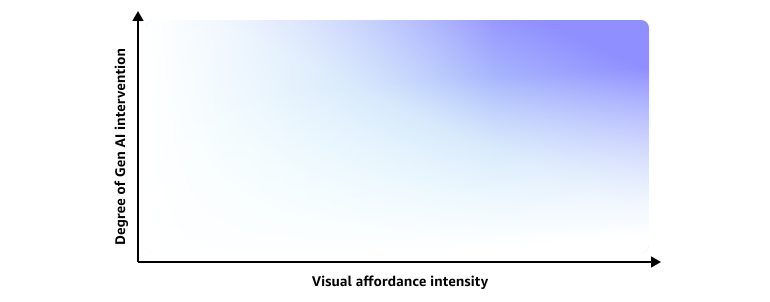
Visual affordance should convey the degree of intervention that generative AI plays in a certain process. A prominent visual treatment helps communicate to users that they’re about to start a process where they don’t have full control. On the other hand, a lighter visual treatment integrates the action more seamlessly with others.

The context in which generative AI is present plays an important role in the level of hierarchy that the visual affordance requires.
When the entire product is a generative AI offering, including specific visual affordance in low level UI elements is not optimal, as it can overwhelm users. The visual schema needs to be defined on a product or application level instead. For these use cases, we recommend replacing aspects from the visual foundation with generative AI-specific styling. When a generative AI offering is contained to a page, visual affordance is applied at the page level, such as through page-level actions. When a generative AI feature pertains to a particular section on a given page, we recommend localized styling.