Conversational history
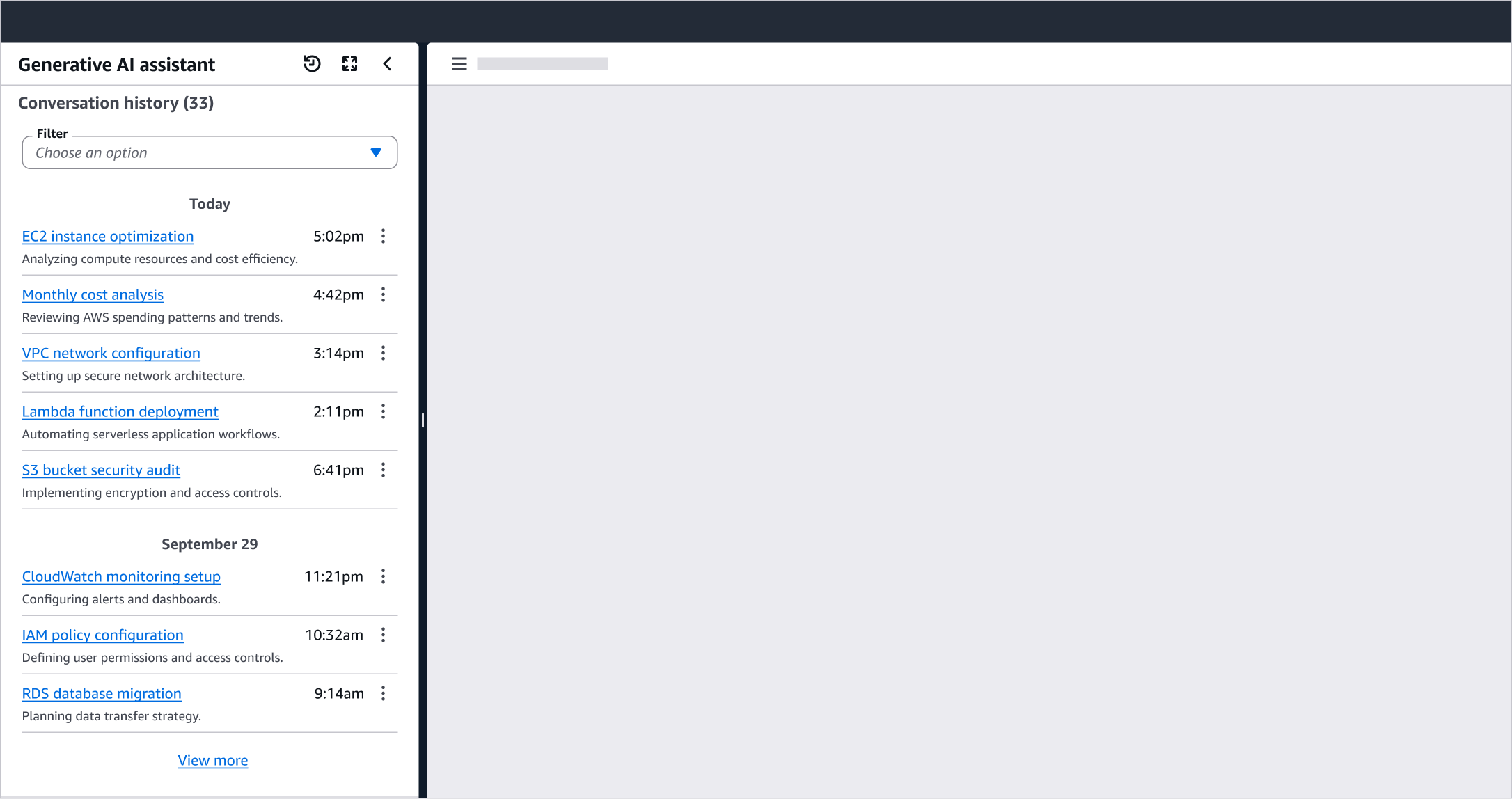
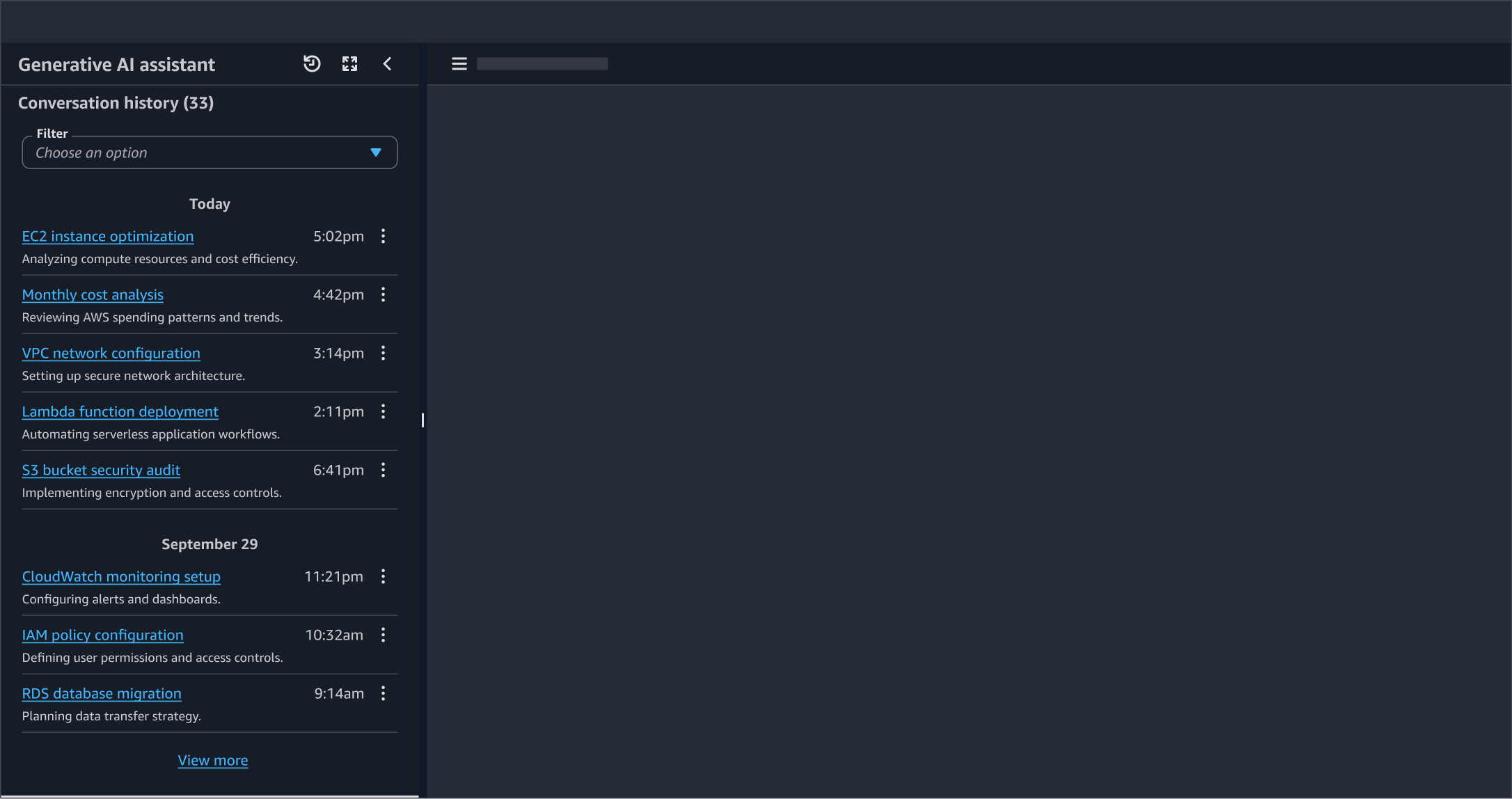
A list of historical conversations with Generative AI.
A list of historical conversations with Generative AI.
History provides users with a persistent record of their interactions with AI, and enables them to continue work across multiple sessions. Instead of the complete loss of each session of interaction with AI, history ensures that conversations are saved, retrievable, and resumable. This helps build user trust and confidence, especially for complex tasks that span multiple sessions or require referencing previous outputs.
Provide users agency over their conversation data as it may contain sensitive information, experimental ideas, or work they want to remove. Enable requisite actions for individual history items and communicate data retention policies upfront. Avoid auto deletion of conversations without explicit user consent or advance warning as unexpected data loss impedes user trust.
Recognition over recall: Users rarely remember specific details from past conversations, especially when managing multiple AI sessions over time. Minimize cognitive effort required to find past conversations by showing meaningful identifiers in conversation titles rather than generic labels. For example, use the first user message or an AI-generated summary as the conversation title.
Recency based grouping: Users ability to recall conversations changes based on recency. Group individual history items using relative timestamps for recent conversations (Today, Yesterday, Past 7 days) and transition to absolute dates for older entries (January 15, December 2024). This approach mirrors how people naturally think about time and make history navigation complement their mental model. To ensure users can access complete timestamp if needed, display it in a tooltip using ISO standard.
Conversational history is a user-facing feature that provides humans with a retrievable record of all past conversations. Memory is an AI-facing capability where the system retains select information across sessions to personalize future interactions based on user preferences, context, or patterns. History displays complete conversations that users can browse, search, and revisit, while memory stores specific facts that users could view, add, or delete.
An action button to enable users to view all items stored in history. For experiences confined to a smaller panel, this action can be displayed in the panel header to ensure discoverability for users.
Display a related title with a count of the total history items available to view in an adjoining counter.
A filtering mechanism such as a select to enable users to filter the list of history items based on specific parameters. Follow guidelines in collection select filter.
Group individual history items using relative timestamps for recent conversations (Today, Yesterday, Past 7 days) and absolute dates for older entries (January 15, December 2024). Follow guidelines for timestamps.
Use list component to show history.
Link to history: A link to the conversation to enable users to open it and either peruse through, or continue that conversation.
History timestamp: Display the local time that item was first created at. Display the full absolute timestamp in a tooltip to enable users to get more information about the time it was created.
Actions: Related actions such as delete and share item.
Additional details - optional: If there are additional details or metadata that are necessary for a user to view in conversational history, display them below the link to history item. For example, use of badges to show status, or descriptions.
history icon in view history icon button.Use sentence case, but continue to capitalize proper nouns and brand names correctly in context.
Use end punctuation, except in headers and buttons. Don’t use exclamation points.
Use present-tense verbs and active voice.
Don't use please, thank you, ellipsis (...), ampersand (&), e.g., i.e., or etc. in writing.
Avoid directional language.
For example: use previous not above, use following not below.
Use device-independent language.
For example: use choose or select not click.
Use the title “Conversations” for conversational history.